
Lighting Lab

Build a key, fill and rim setup and watch it light a sphere in real time. Get the floor plan and the exact words that describe the light to a video model, or upload a still and read the lighting from it.

FreeRenders in your browserRead the light from any still
Moods:
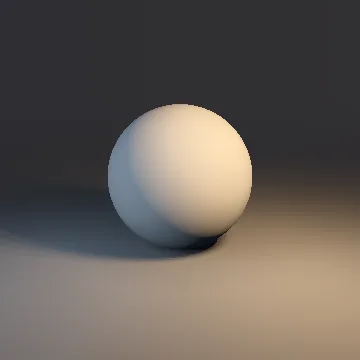
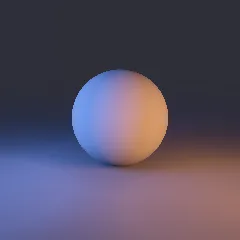
A sphere lit by a warm key light from frame right and a cool fill from frame left
Describe the light

Soft warm tungsten key light from frame right, three-quarter front, a little above eye level; very soft, diffused cool blue fill from frame left, three-quarter front, a little above eye level. Natural contrast.

Key Fill Subject Camera

The sphere renderer is the one PyxelJam Studio uses to preview a relight.Take it further →

Lighting Moods

Nine Classic Setups, Rendered

Each sphere is rendered from the rig behind it, with the words that describe it. Click one in the lab above to start from it.

Sphere lit as Daylight
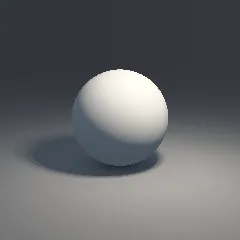
DaylightHard neutral white key light from frame right, three-quarter front, high. Natural contrast.
Sphere lit as Overcast
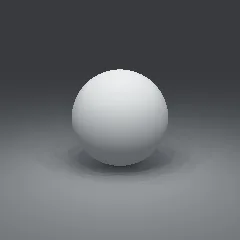
OvercastVery soft, diffused cool, daylight-blue key light from the front, near the camera, overhead. Natural contrast.
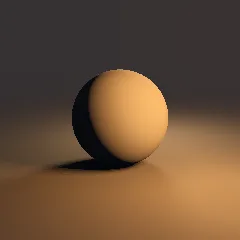
Sphere lit as Golden hour
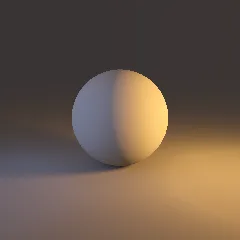
Golden hourSoft orange, firelight key light from frame right, three-quarter front, at eye level; very soft, diffused cool blue fill from frame left, three-quarter front, a little above eye level. Natural contrast.
Sphere lit as Blue hour
Blue hourVery soft, diffused deep blue key light from frame left, three-quarter front, a little above eye level; soft orange, firelight fill from frame right, three-quarter front, at eye level. High-key, open shadows.
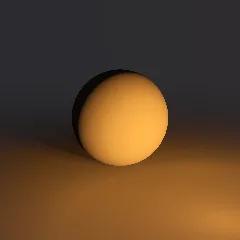
Sphere lit as Night practicals
Night practicalsSoft orange, firelight key light from frame right, three-quarter front, a little above eye level; warm tungsten rim light from directly behind the subject, separating the subject from the background. Low-key, deep shadows.
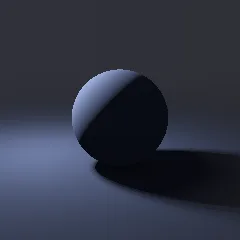
Sphere lit as Moonlight
MoonlightHard cool blue key light from frame left, side on, high. Low-key, deep shadows.
Sphere lit as Candlelight
CandlelightSoft orange, firelight key light from frame right, three-quarter front, at eye level. Low-key, deep shadows.
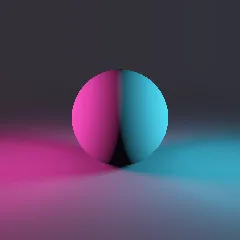
Sphere lit as Neon
NeonSoft magenta neon key light from frame left, side on, at eye level; soft cyan neon fill from frame right, side on, at eye level. Even light from both sides against dark surroundings.
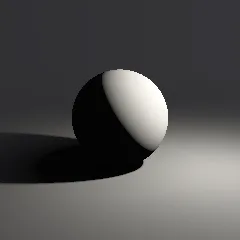
Sphere lit as Noir
NoirHard neutral white key light from frame right, side on, a little above eye level. Low-key, deep shadows.
The Method

How to Describe Light to an AI Video Model

Video models read light the way a gaffer talks about it: where the source is, how hard it is, what colour it is, and how deep the shadows go. "Cinematic lighting" tells a model nothing. "Hard warm key from frame right, high; soft cool fill from frame left; low-key" tells it exactly what to draw.

Direction

Say where the key comes from relative to the camera: from the front, three-quarter, side on or from behind. Side and three-quarter light give a face shape; light from behind gives a rim that separates the subject from the background.

Height

High light reads as day or a ceiling source; eye-level light feels intimate or staged; light from below reads as unease or firelight.

Quality

Hard light (sun, a bare bulb) throws crisp shadows. Soft light (overcast sky, a big bounce) wraps around the face. Most moods are set by this one choice.

Colour and contrast

Name the colour as a source would have it: warm tungsten, cool daylight, moonlight blue, magenta neon. Then the ratio: low-key means deep shadows and little fill; high-key means open, bright shadows.

One light logic per shot

Pick one coherent setup per shot and keep it across the shots of a scene. Mixed, unmotivated sources confuse the model and make cuts jump.

PyxelJam Studio

Relight a finished clip to match the next shot.

The same lighting rig you just built can relight a clip in PyxelJam Studio, so a cut between two shots no longer jumps.

Script

Write it or import it

Shot list

Framing, moves, lengths

Frames

A drawn frame per shot, same cast every time

You are hereClips

Approved frames become video

Final cut

Trim, order, music, title card

Publish

Export or send to your channels

Free to start. No card needed.

Questions

How do I describe lighting in an AI video prompt?

Name the source, its direction relative to the camera, its height, whether it is hard or soft, its colour, and how deep the shadows are. For example: "Hard warm key from frame right, high; soft cool fill from frame left; low-key, deep shadows." Lighting Lab writes that line from the setup you build.

What are key, fill and rim light?

The key is the main light and sets the mood. The fill softens the shadows the key leaves. The rim comes from behind the subject and draws a bright edge that separates them from the background. Together they are the classic three-point setup.

Can it read the lighting from a film still?

Yes. Upload a frame and the lab estimates where each light comes from, its colour, strength and softness, and sets the rig to match, so you can describe that look for your own shots.

What does low-key and high-key mean?

Low-key lighting has little fill, so shadows stay deep: noir, thrillers, night scenes. High-key lighting fills the shadows so the frame is open and bright: comedy, commercials, daylight drama.

Is it free?

Yes. Building setups runs entirely in your browser. Reading a still has a daily allowance per visitor.